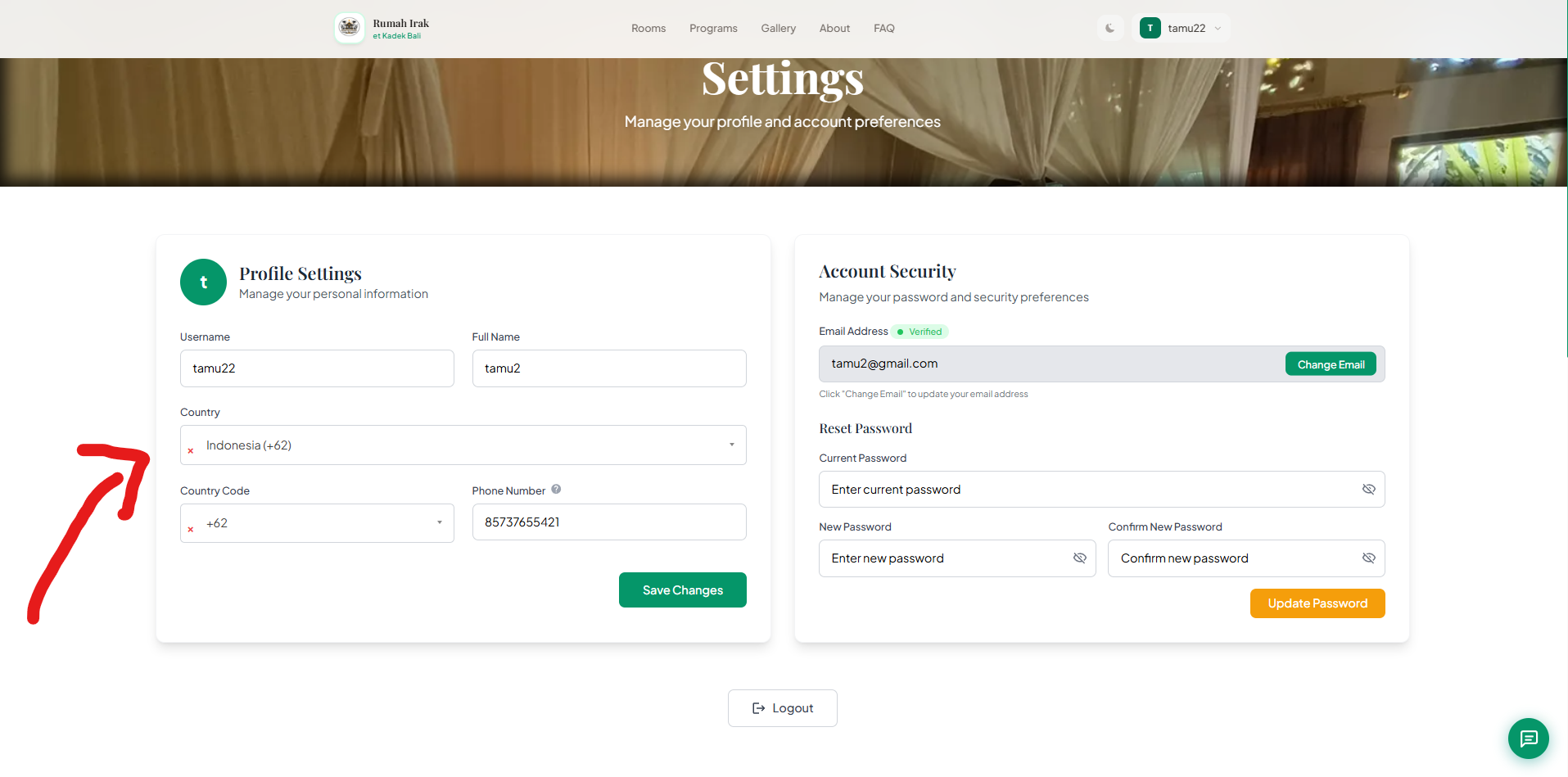
Instructions for users who registered or logged in with Google to finish setting up their profile so bookings can be made.
FAQ: How to Complete Your Profile
(Required if you registered or logged in with Google and your profile is incomplete)
Step 1 - Make sure you are logged in (if not, follow the login guide → [click here]).
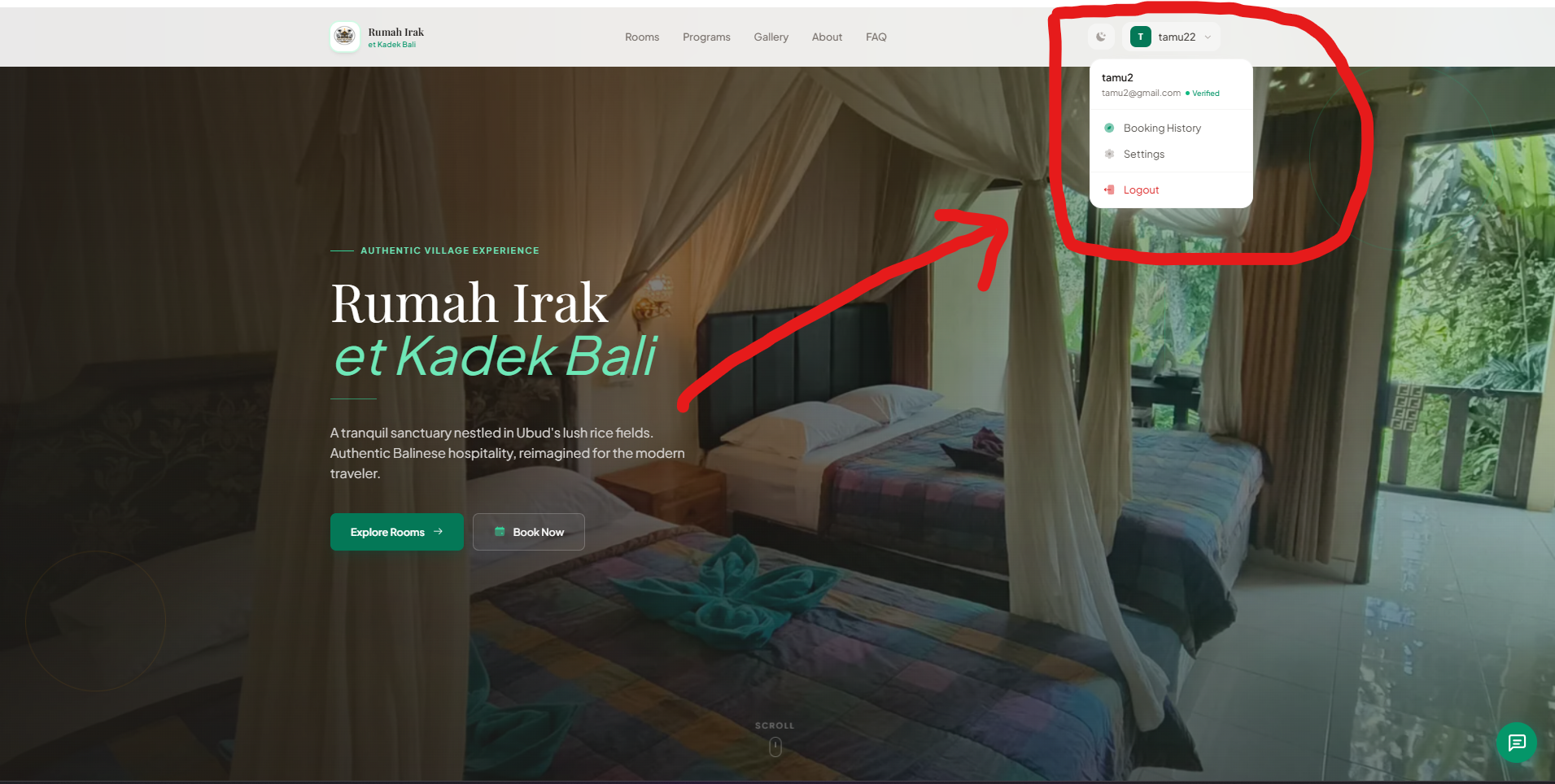
Step 2 - Click your Profile at the top left corner, then select Settings.
Step 3 - Fill in any missing profile information, then click Save Changes.