
Quick guide to creating a new account on the website, including filling in personal details, verifying your email, and preparing your login credentials.
FAQ: How to Register an Account
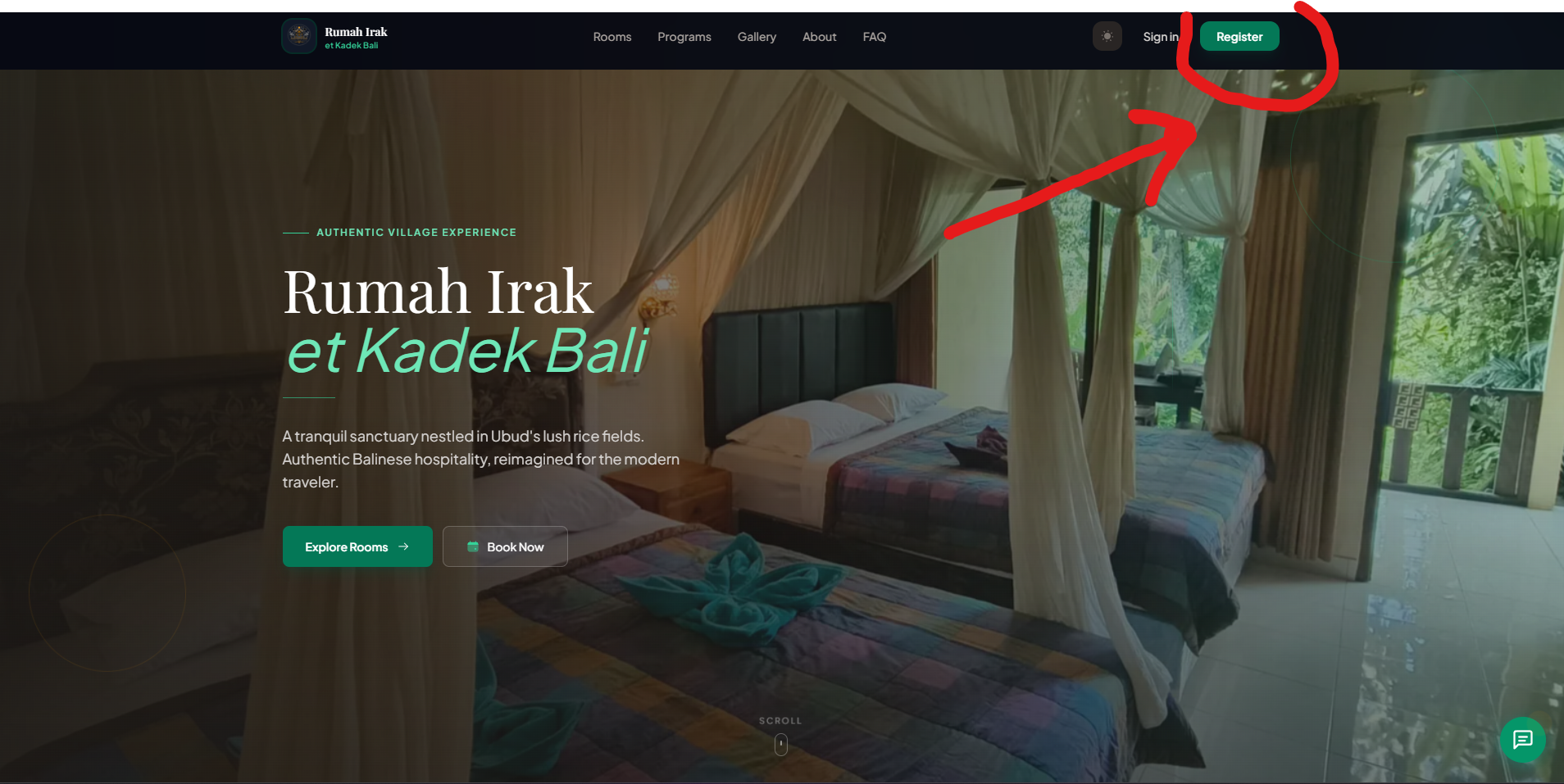
Step 1 - Click the Register button at the top right corner of the website.
Step 2 - Enter the required personal information, or choose Continue with Google.
- If you use Continue with Google, make sure to complete your profile first (see FAQ: How to Complete Your Profile → [click here]).
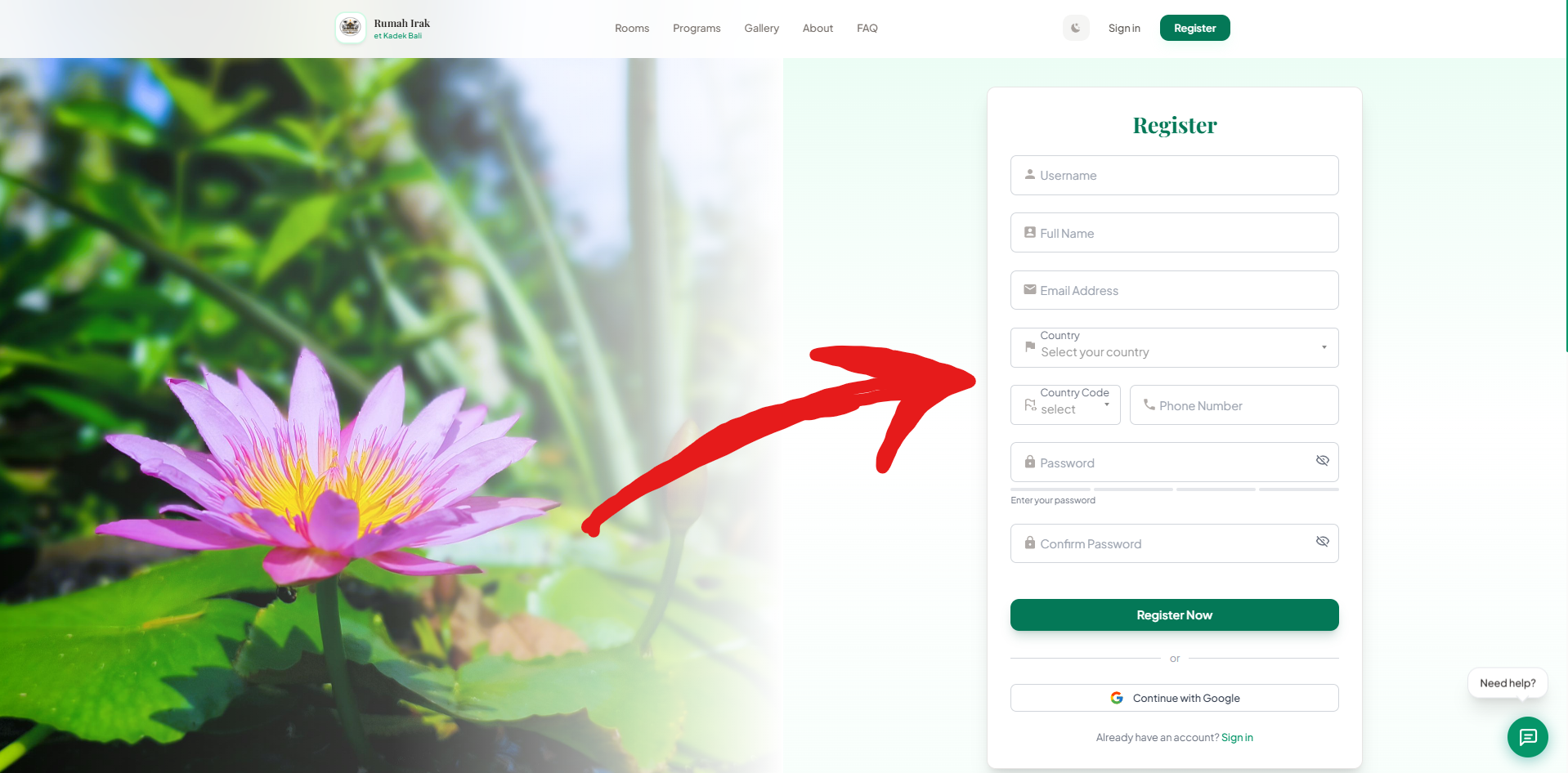
Step 3 - After filling in all data, click Register.
Step 4 - You will be redirected to the email verification page.
- Open your email inbox (check spam if necessary), find the verification email from Rumah Irak et Kadek Bali, copy the code, and paste it into the verification page.
- If you haven’t received the email, click Resend Verification Email.